Clicker Training for Beginners: A Complete How-To
Clicker training is the fastest, clearest way to teach a dog almost anything — and it's beginner-friendly. The whole method rests on one idea: tell your dog exactly which behaviour earned the reward, at the exact moment it happened. Here's how to start, step by step.
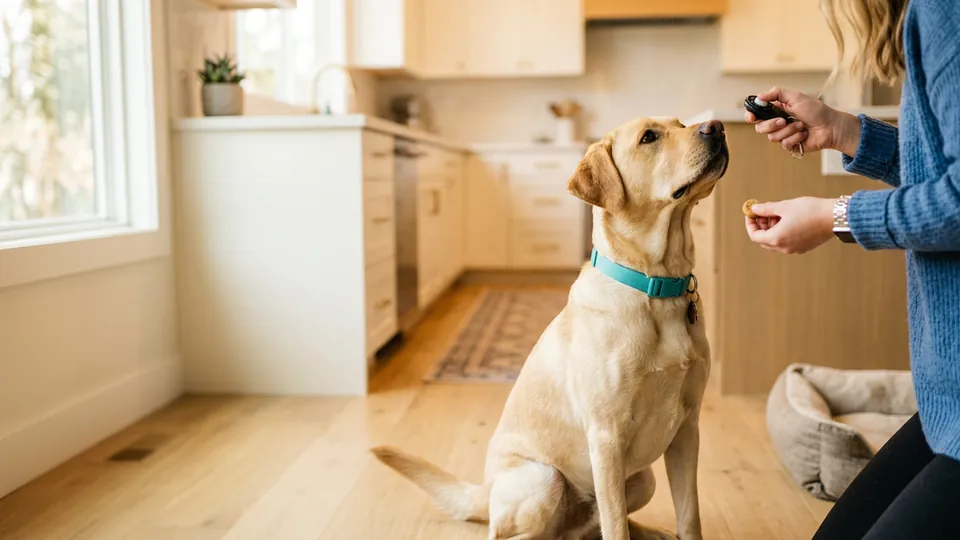
Why a Click Works Better Than "Good Boy"
Dogs live in the moment. By the time you've said "goooood boy!" and reached for a treat, your dog has sat, stood up, sniffed the floor, and looked out the window — so which of those got rewarded? Your dog genuinely doesn't know.
A clicker fixes this. The click is short, sharp, and identical every time, so it can mark a half-second slice of behaviour: that sit, that glance at you, that paw touch. The click says "yes — that exact thing — payment incoming." Trainers call it a marker or bridge, because it bridges the gap between the behaviour and the treat that follows.
Step 1: Charge the Clicker
Before the click can mean anything, your dog needs to learn that click = reward. This is called "charging" or "loading" the clicker, and it's one easy session:
- Grab 10–15 tiny, high-value treats.
- Click, then immediately give a treat. Your dog doesn't need to do anything — this isn't a test.
- Repeat 10–15 times, varying the pauses so your dog doesn't just anticipate a rhythm.
You'll know it's charged when your dog's head whips toward you at the sound of the click. Most dogs get there in one or two short sessions.
Step 2: Click the Moment, Treat Every Time
Now use it. Ask for (or wait for) a behaviour, and click the instant it happens:
- Sit — click the instant hips touch the floor, not after.
- Recall — click the moment your dog commits to running back to you.
- Loose-leash walking — click whenever the lead goes slack beside you.
- Crate training — click for calm entry and quiet settling.
- Leave it / drop it — click the second your dog disengages from the forbidden thing.
Two rules are non-negotiable:
- Every click gets a treat. Even a mis-click. The click is a promise, and broken promises devalue the marker.
- Click for one thing at a time. Work on one criterion per session — sit or eye contact, not both at once.
Tip: Timing beats everything. If your clicks are late, practise without your dog: bounce a ball and click the moment it hits the floor. Ten minutes of that will sharpen your timing more than a week of sessions.
Step 3: Keep Sessions Short and Fun
Aim for 3–5 minute sessions, a few times a day. End on a success, keep your rate of reinforcement high (a click every few seconds for a beginner dog), and stop before your dog loses interest. Consistency across days matters far more than length on any single day.
Step 4: Fade the Clicker
The clicker is a teaching tool, not a lifetime accessory. Once a behaviour is reliable on cue — your dog sits promptly, anywhere, the first time you ask — you can stop clicking for it. Keep rewarding intermittently with treats, praise, or play so the behaviour stays strong, and bring the clicker back out whenever you teach something new.
A Clicker That's Always With You
PupPlan includes a built-in clicker with a guide for charging, timing, and fading — plus a squeak toy for attention, a dog whistle for recall, and 20+ structured training courses that put your new clicker skills to work.


Common Beginner Mistakes
- Clicking to get attention. The click marks behaviour; it isn't a recall button. If you need attention, use a squeak or your dog's name — see why squeaky sounds grab dogs so effectively.
- Clicking late. A click two seconds after the sit marks "standing up again". Practise your timing.
- Treats too big, too slow. Use pea-sized treats you can deliver within a second or two of the click.
- Sessions too long. Five great minutes beat twenty mediocre ones.
- Raising criteria too fast. If your dog fails twice in a row, the step was too big — make it easier and rebuild.
Frequently Asked Questions
Do I have to treat after every click?
Yes — every click, even accidental ones. The click's power comes from being a 100%-reliable promise.
What if my dog is scared of the click?
Muffle the clicker in a pocket, click from another room, or use a softer marker — a tongue click, a crisp "yes!", or an app clicker with volume control. Charge it exactly the same way.
How long until I can stop using it?
Per behaviour: once it's reliable on cue, fade the clicker and reward intermittently. You'll keep returning to it for new skills — that's normal and exactly how it's meant to work.
Is clicker training only for puppies?
Not at all. Dogs of any age learn this way, and adult dogs often progress faster thanks to longer attention spans.