
Phones are the wrong shape for comics. A comic page is roughly A4; a phone is a long, narrow letterbox. Fit the page to the screen and the lettering is too small to read. Zoom in and you lose your place, thumb dragging around looking for the next balloon.
The next update to TritonPanels adds a fourth way to read, and it is the one we have wanted since we started: Panel by Panel.
One panel, the whole screen
Turn it on and TritonPanels works out where the panels are on the page, then takes you through them one at a time. Each panel is scaled to fill the screen, so the artwork is as big as your phone can make it and the lettering is simply readable. Tap the right edge for the next panel, the left edge to go back, and double tap whenever you want to pull out and see the whole page again.
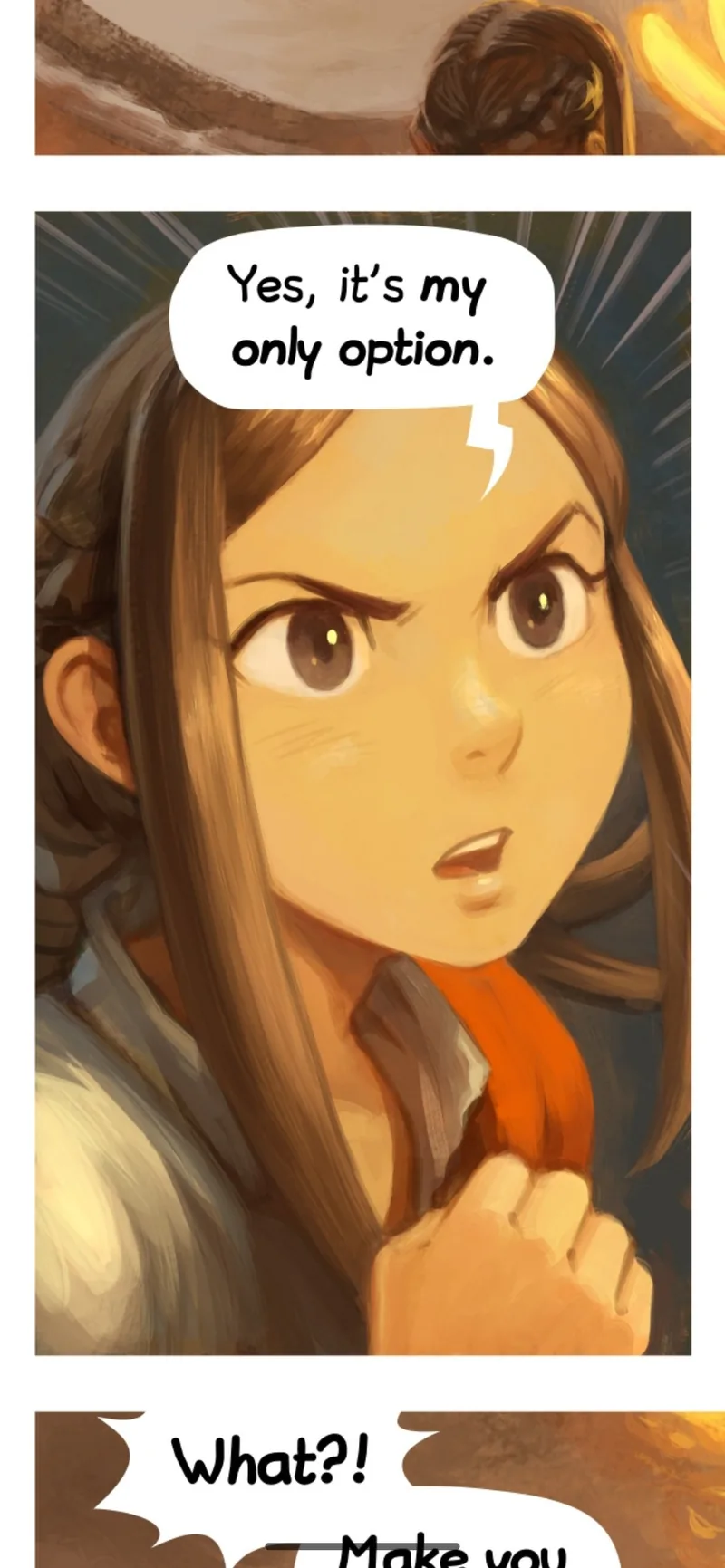
It reads the page the way you would — across a row, then down to the next — and it understands manga, so you can set the reading direction to right-to-left and it steps through in the correct order.
It happens on your phone
There is no server involved and nothing is uploaded. TritonPanels looks at the page image itself and finds the gutters — the white channels between panels — splitting the page along them until what is left are the panels. It takes a few milliseconds per page.
That matters for two reasons. The first is privacy: the comics in your library are yours, and finding panels in them is not a good enough reason to send them anywhere. The second is that it works on your collection, not a list of books someone has prepared in advance. A scan of a 1940s comic, a modern digital release, a page you drew yourself — if it has gutters, it works.
Some pages do not have gutters at all. A full-bleed splash page is one big image running edge to edge, and there is nothing to split. On those, TritonPanels shows you the whole page, which is what the artist intended anyway.
Still your choice
Panel by Panel joins the three modes already there rather than replacing them. Open the View Mode menu in the reader and you can pick:
- Single page — one page at a time, the classic.
- Double page — spreads, for that printed-comic feel on a tablet.
- Continuous scroll — keep scrolling, no page turns.
- Panel by panel — the new one.
You can switch mid-issue without losing your place, and if you find you want it every time, set it as your default in Settings. On a tablet you may well never need it; on a phone, on a splash-heavy issue, it is the difference between reading a comic and squinting at one.
When you can get it
Panel by Panel is in testing now and lands in the next TritonPanels update. If you already have the app, it will simply appear in the View Mode menu when the update arrives — nothing to buy, nothing to turn on.
TritonPanels is on the App Store now, with a 7-day free trial; the Android version is in testing. You can see the full feature list on the TritonPanels site, and everything we ship is listed on the changelog.
If you try it and a page splits in a way that looks wrong to you, we genuinely want to see it — tell us through the contact page. Panel detection gets better by meeting pages it has not seen before.
Comic pages shown: “Pepper&Carrot” by David Revoy, licensed CC BY 4.0.

Related Posts
Piece of Cake is Live: Real Games for Real Friends