 TritonPanels
Version 1.3 · available now
Built for people who
actually read comics.
Every part of TritonPanels is designed around the reading experience — from the moment you open the app to the last page of a long box-set binge. Here’s what’s inside.
The reader
The reader is the heart of the app, so we sweated every detail.
- Panel-by-panel mode. Jump from panel to panel in left-to-right or right-to-left order, or read the full page — your choice.
- Three view modes. Single page, double-page spreads for that printed-comic feel, or smooth continuous vertical scroll.
- Fit how you like. Fit-to-screen or original size, with pinch-zoom and pan for the detailed panels.
- Page-turn animations. Slide, tap or instant transitions — your call.
- Scan filters. Adjust noise reduction, sharpness, border cropping and moiré removal to clean up scanned pages.
- Gestures & tap zones. Swipe, tap the edges, or scroll. Controls fade away while you read and reappear with a tap.
- Brightness & keep-awake. Dim the screen for late-night reading and stop it locking mid-page.
- Thumbnail strip. Scrub through every page and jump straight to the one you want.
- UI in 20 languages. English, Czech, Dutch, Filipino, French, German, Hindi, Indonesian, Italian, Japanese, Korean, Polish, Portuguese, Russian, Simplified Chinese, Spanish, Thai, Traditional Chinese, Turkish and Vietnamese.
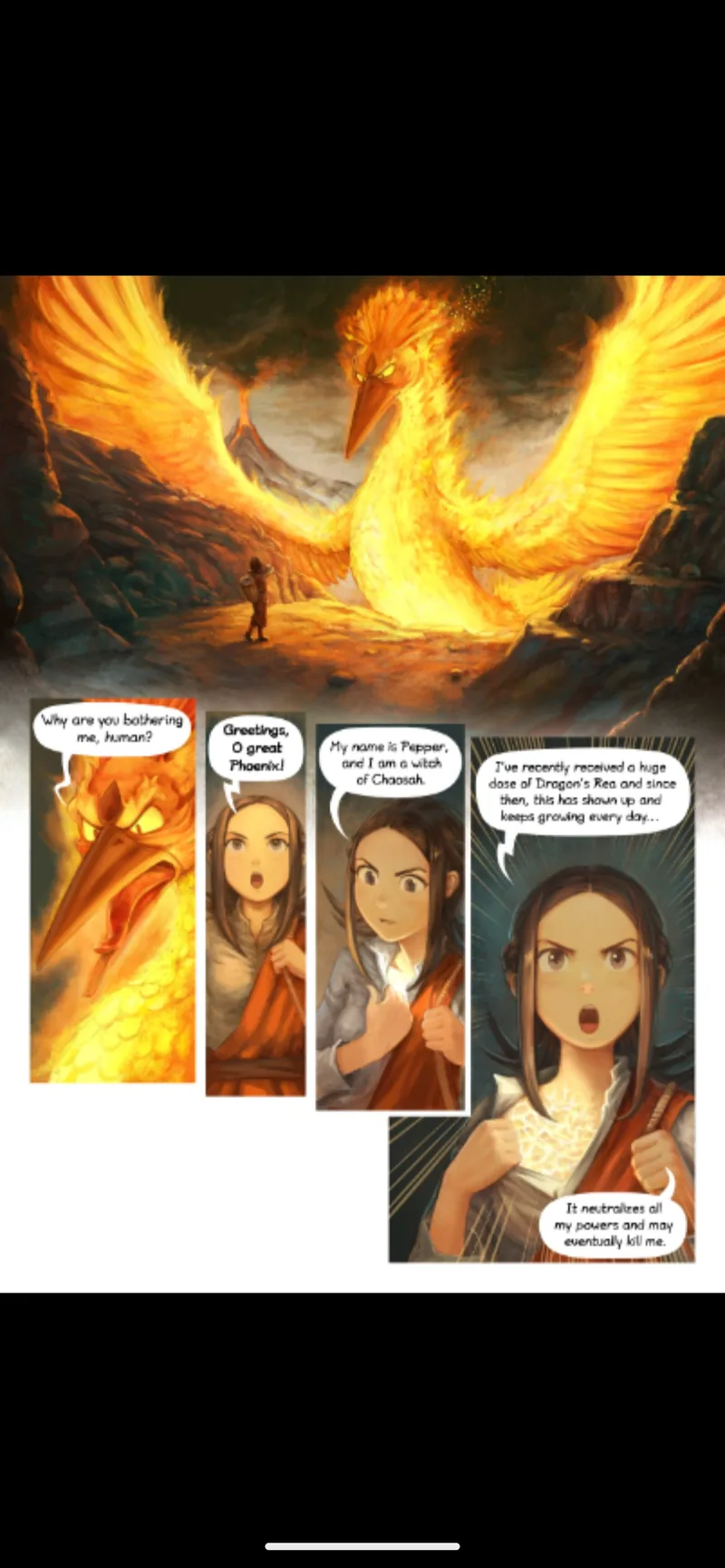
Comic pages shown: “Pepper&Carrot” by David Revoy, licensed CC BY 4.0.
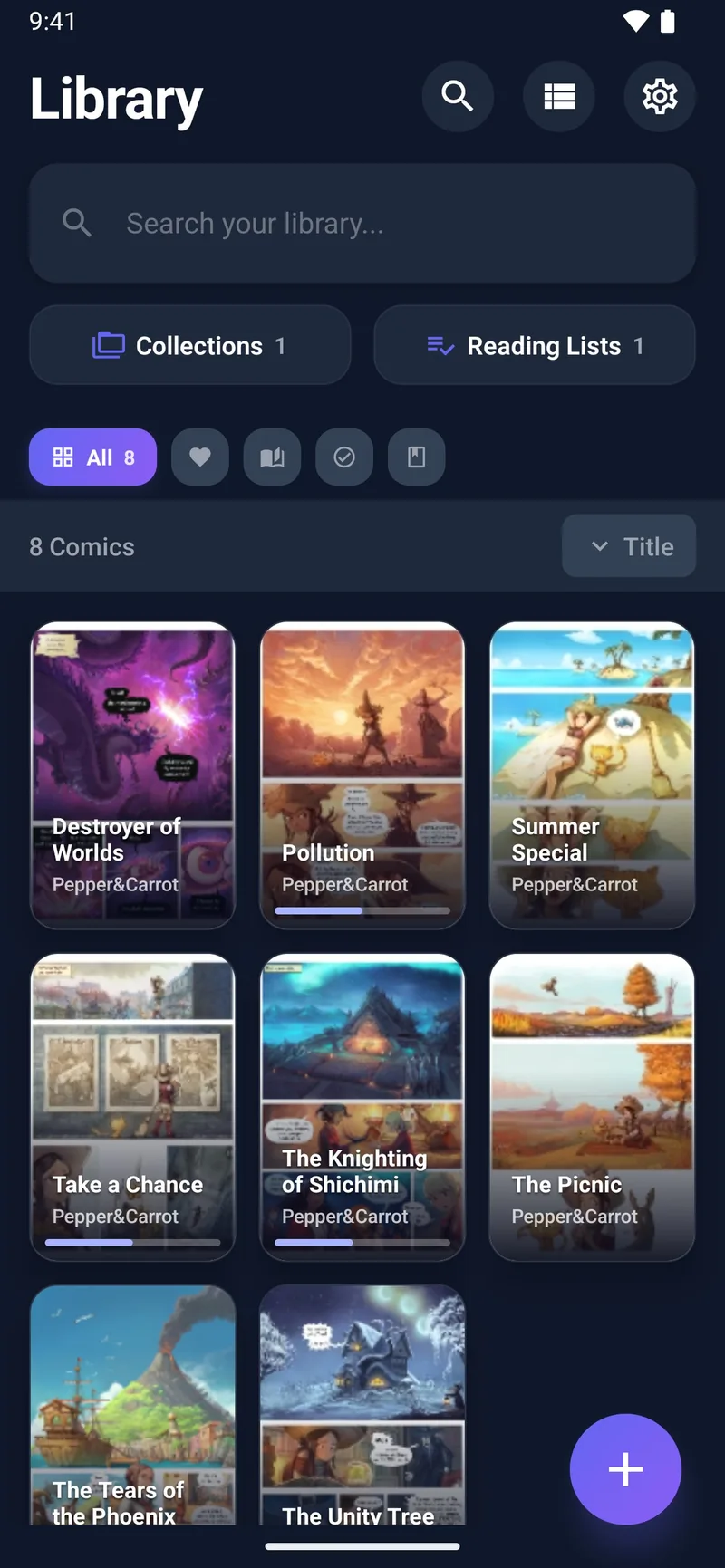
Your library
A collection deserves more than a folder full of files.
- Grid or list. Switch layouts and pick a grid size that suits your cover art.
- Collections & reading lists. Group issues into custom collections, or line them up in an ordered reading list for guided runs.
- Filter & sort. All, favourites, unread, in-progress or completed — sorted by title, date added, last read, or series.
- Real search. Find anything by title, filename, series, author, publisher or tag.
- Automatic metadata. Covers and series details are pulled from
ComicInfo.xmland the first page, so your shelves look right with no manual work.
Your comics, your cloud
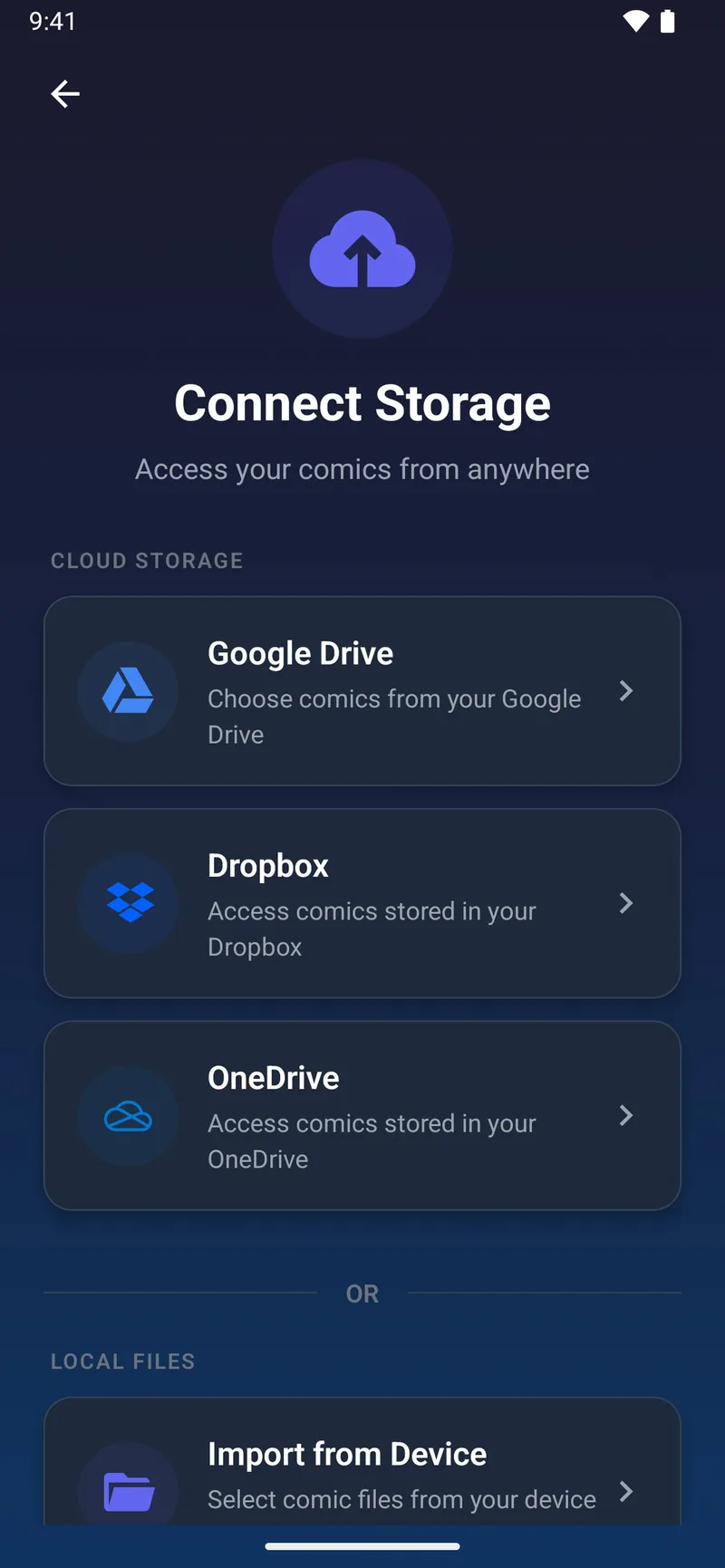
TritonPanels is built around the library you already own. Connect Google Drive, Dropbox or OneDrive and the app reads your comics in place — we never store your files on our servers. Authorisation uses each provider’s standard OAuth, the tokens live on your device, and you can disconnect at any time. New files in your cloud are discovered automatically, and a Wi-Fi-only option keeps it off your mobile data.
Prefer to keep everything on the device? Import comics directly with the file picker — no cloud account required.
Supported formats: CBZ, CBR (RAR4), CBT and PDF.
Read anywhere, track everything
- Offline downloads. Save issues for the plane, the train, or anywhere the signal drops. A configurable page cache keeps things fast and tidy.
- Bookmarks & notes. Mark any page and attach a note — perfect for re-reads and book clubs.
- Progress & stats. Resume exactly where you stopped, and see total comics read, pages turned, streaks and monthly completions.
- Light & dark themes. Auto, light or dark, with an interface that respects your device settings.
- No ads, ever. No tracking across apps, no advertising SDKs. Diagnostics are anonymised.
Everything, on one subscription
7-day free trial · monthly or annual plan · cancel anytime · price shown by the store before you buy